

Local SEO for travel websites helps tour operators, travel agencies, hotels, and experience providers appear in location-based searches, Google Maps, and “near me” queries. It connects travellers with businesses that serve the place they want to visit or the area where they need help.
Travel businesses often have two locations to explain. One is where customers meet your team, such as an agency office or tour desk. The other is where the experience takes place.
A Manchester travel agency selling Greek island holidays needs pages for both. Its office page helps customers book an appointment in Manchester. Its destination pages help travellers assess the holidays it arranges in Greece.
Table of Contents
What Is Local SEO for Travel Websites?
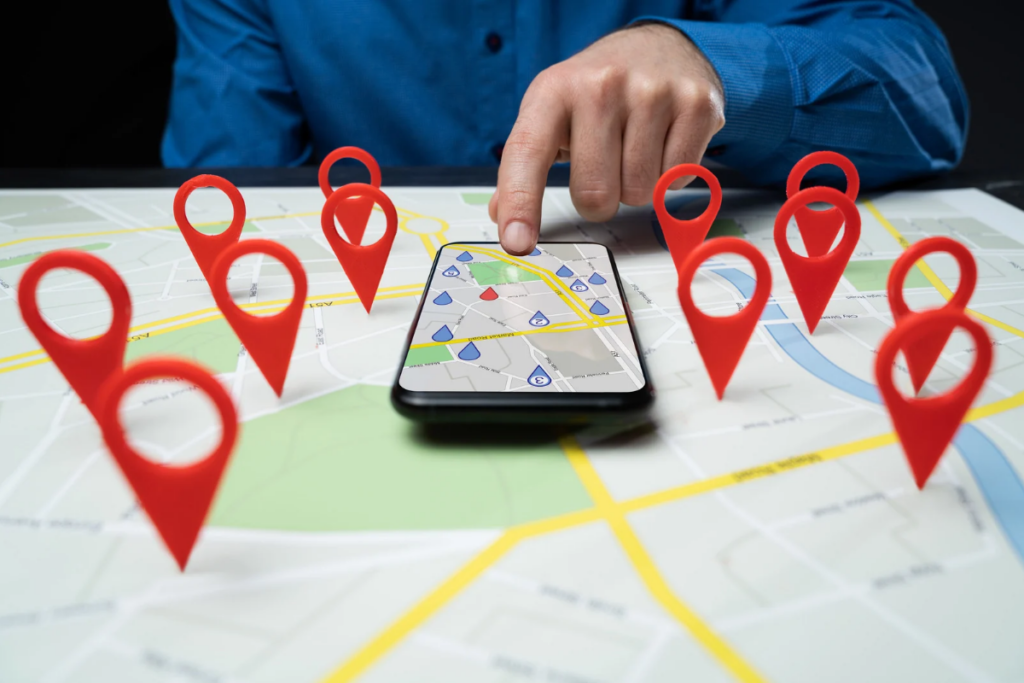
Local SEO improves how people discover your business through searches connected to a place.
That includes travellers researching before departure, guests searching after arrival, and residents looking for a nearby travel advisor.
Search | What the customer needs |
Travel agency in Manchester | A local business they can contact |
Sunset boat tours in Lisbon | An experience in a specific destination |
Hotels near Porto São Bento station | Accommodation near a landmark |
Walking tours near me | An experience close to their current location |
Douro Valley tour from Porto | A trip with a specific departure point |
Google identifies relevance, distance, and prominence as the main factors behind local results. Your content and business information can improve relevance. Accurate listings, reviews, and relevant links can support your business’s public presence. Distance depends on the searcher’s location. Google’s local ranking guidance.
1. Set Up Your Google Business Profile
Check whether your business qualifies for a Google Business Profile, then represent how customers interact with it.
A staffed travel agency office, hotel reception, and operator that visits customers can require different setups. Google distinguishes businesses that receive customers at their address from those that visit customers directly. Business Profile eligibility guidelines and service-area guidance. Google Business Profile Help
Review your profile and complete these tasks:
- Choose the most accurate primary category.
- Use the business name customers recognise from your signage and branding.
- Confirm your phone number and website link.
- Check business hours and holiday hours.
- Add current photographs of your team, premises, and experiences.
Explain tour departure points on the relevant tour pages. Check eligibility before creating a profile for an additional location.
For an agency, describe how customers can arrange an appointment. For a hotel, make the entrance and reception easy to recognise. These details help people take the next step after finding you.
2. Research Keywords for Both Business Locations and Destinations
Create two keyword groups.
The first should cover where customers find your business. The second should cover where your trips, rooms, or experiences take place.
For example, a Manchester agency might research “honeymoon travel agent Manchester” for its local service page and “Greek island honeymoon packages” for a destination service page.
Use customer enquiries to expand each group. Add requirements such as departure point, neighbourhood, private transport, family suitability, or appointment availability.
Check estimated demand in Google Keyword Planner, then inspect the search results. Its competition metric describes advertiser activity, so assess organic competition by reviewing the pages that appear. Google Keyword Planner metric definitions.
For “near me” searches, focus on clear location information and accurate business details. Write naturally about where you operate.
3. Build Useful Pages for Genuine Business Locations
Give each genuine customer-facing location a page that helps someone visit or contact it.
A travel agency office page should include its address, opening hours, appointment process, phone number, and services available there. Add original photographs and explain how to find the entrance.
A hotel location page can show nearby transport options and arrival instructions. Use distances or walking estimates your team has checked.
Keep local details specific. A branch page becomes more useful when it names the team, explains appointment availability, and identifies the services handled at that branch.
Connect the page to the relevant Business Profile where appropriate.
Write the page so a first-time customer can find the right place, speak to the right person, and understand what they can arrange there.
4. Create Destination Pages That Explain Your Offers
Destination pages serve travellers who are researching where to go and what to book.
For a Porto operator, build a page that compares the experiences you offer there. Show which tours stay in the city, which visit the Douro Valley, and which include transport from Porto.
Include the practical details that help visitors choose:
Detail | Question it answers |
Departure point | Where does the experience start? |
Duration | Can it fit into my itinerary? |
Group format | Is it private or shared? |
Transport | How do we reach the activity? |
Suitability | Can children or less mobile guests join? |
Availability link | How do I check dates? |
Link each offer to its booking page.
Explain your role accurately. An agency arranging stays in Porto should describe its planning service and supplier arrangements. A local operator should explain who delivers the experience and where guests meet.
5. Keep Your Business Details Consistent Across Local Listings
Audit the places where travellers already encounter your brand.
Start with your website, Google Business Profile, tourism board listing, marketplace profiles, and hotel partner pages. Record the business name, phone number, address where relevant, website link, and last review date.
Prioritize information that can affect a visit or booking. An old phone number can lose enquiries. An outdated meeting point can send guests to the wrong place.
Use a simple tracking sheet:
Listing | Problem | Action |
Local tourism board | Previous website URL | Submit the current link |
Hotel concierge guide | Old tour departure point | Send corrected instructions |
Business directory | Incorrect opening hours | Update the listing |
Marketplace profile | Previous contact number | Replace and test it |
Distinguish your business address, service area, and tour meeting points wherever they differ. Give one person responsibility for updating those details when operations change.
6. Build a Consistent Process for Genuine Reviews
Invite customers to leave an honest review after a completed stay, tour, or planning service.
Send a clear review link through a channel you already use appropriately with the customer. Keep the request neutral and make it easy to complete.
Google prohibits incentives for reviews and selectively requesting positive reviews. Apply the same invitation process across eligible customers. Google Maps review policy. Maps User Generated Content Policy Help
Respond with useful context while protecting customer privacy. If a review describes confusion about pickup, investigate the instructions and correct the relevant page.
Also look for repeated positive themes. Guests may value a guide’s pacing, a hotel’s station access, or an advisor’s support during changes. Explain those services accurately on the pages where prospective customers assess them.
7. Earn Local Backlinks Through Relevant Partnerships
Make local link-building part of your off-page SEO.
List organisations whose audiences overlap with yours. Useful contacts can include tourism boards, accommodation providers, destination publications, museums, event organisers, and specialist local guides.
Offer a resource they can reference. A walking tour company could publish a checked route comparing distance, stairs, and rest stops. A hotel could create arrival instructions for guests attending a nearby event.
Give the publisher a specific reason to link to the page.
If a hotel already recommends your tour, ask whether its guest guide can link to the current experience page. Check that the page explains departure times and booking conditions.
Record the referring page and resulting visits or enquiries. Follow Google’s guidance when links form part of paid or sponsored arrangements. Google’s link spam policies.
8. Publish Local Guides That Resolve Booking Questions
Ask your team what visitors regularly need help with after choosing the destination.
Useful subjects include reaching a departure point, choosing between neighbourhoods, finding luggage storage, or deciding whether a route suits children.
Connect each guide to a relevant offer. A guide about visiting the Douro Valley without a car can compare transport options and link to your tour from Porto where readers assess guided transport.
Add first-hand detail your team can verify. Explain which entrance guests use or where a steep section begins. Identify the reviewer and record when changing facts were checked.
Google’s helpful content guidance encourages original information, clear sourcing, and evidence of experience or expertise. Google’s helpful content guidance.
9. Make Local Pages Easy to Read and Use on Mobile
Open your location and experience pages on a phone.
Check whether someone can find the address, tap the phone number, open directions, and start a booking without struggling with the layout.
Keep essential information in readable page text. Compress large images and test any booking calendar or enquiry form.
For forms, request the details your team needs for the next step. A custom-trip enquiry might need destination, dates, party size, and contact details. Clear labels and useful error messages help visitors finish.
Ask your developer to add appropriate LocalBusiness structured data where it accurately represents the business. Match the address, hours, and contact details to the visible page, then validate the markup. Google’s LocalBusiness structured data guidance.
10. Measure Local Visibility Through to Confirmed Bookings
Review Business Profile performance alongside Search Console and reservation records.
Business Profile metrics can include website clicks, direction requests, and clicks on the call button. Available metrics vary by business. The report can also include activity from Google Ads, so check the context when evaluating SEO work. Google Business Profile performance documentation.
Use Search Console to monitor location-related searches and the pages receiving clicks. Review business-name searches separately from broader searches such as “Porto food tours.” Search Console Performance report.
Then track what happens after the visit.
A hypothetical operator might record 120 visits from its profile link, 18 booking starts, and six confirmed reservations. Those figures help identify the next question. If visits rise while booking starts stay flat, inspect the landing page. If starts rise while reservations stall, test availability and payment.
11. Consider an Exact-Match Domain for a New Travel Business
An exact-match domain (EMD) contains the phrase you want to target, such as lisbonfoodtours.example for “Lisbon food tours.” This can make your destination and service clear to prospective customers.
Google considers domain words among many relevance factors. Its exact-match domain system also limits the extra credit given to domains that match search queries. An EMD alone does not establish that a website will rank faster. Google’s ranking systems guide. developers.google.com
If you are launching a new travel business, compare keyword-based domain options against these criteria:
- Service fit. Choose a name that accurately describes what customers can book.
- Readability. Keep it short enough to remember, spell, and share.
- Growth plans. Consider whether the name will still fit if you add destinations or experiences.
- Brand recognition. Choose a name customers can distinguish from similar operators.
Support the domain with detailed service pages, accurate local listings, genuine reviews, and relevant backlinks. For an established website, prioritize improving those assets before considering a domain change solely to add keywords.
Frequently Asked Questions
Can a travel business compete locally with large booking platforms?
Yes. Focus on specific experiences and customer needs that your team can explain in detail. A private boat operator could publish verified boarding instructions, passenger limits, and route options. Give travellers enough information to assess your service and book directly.
Should I create separate websites for every destination I serve?
For most travel businesses, destination sections on one website are easier to maintain. Create a useful page for each destination with relevant offers, logistics, and local knowledge. Consider separate websites when destinations operate as distinct brands with their own teams and services.
What should I do with local pages when my business closes for the season?
Keep recurring seasonal pages available and clearly state your operating dates. Update booking options, reopening information, and contact arrangements. Offer future reservations or an availability notification where practical. Review the page before the next season so travellers see current prices and schedules.
Can photos and videos help customers choose my local travel business?
Yes. Use original visuals that answer practical questions. Show the hotel entrance, tour vehicle, boarding point, or walking terrain. Add captions where context matters and identify the experience pictured. A short arrival video can also help guests recognise the correct meeting place.
How should I handle a business relocation without confusing travellers?
Update your website, business profile, booking confirmations, and important partner listings together. Contact customers whose reservations contain the previous address and provide clear replacement instructions. Check map directions and remove outdated arrival photos. Monitor enquiries after the move to identify any listings that still cause confusion.
Conclusion and Next Steps
Local SEO for travel websites helps customers find your business and understand the experiences you offer in each destination. Accurate business information, useful location pages, genuine reviews, and relevant local backlinks support that journey. Measure qualified enquiries and confirmed bookings to decide where to focus your next improvements.
Start with these steps:
- Audit your Google Business Profile. Check your category, contact details, hours, and website link.
- Improve one priority page. Add verified location details, arrival instructions, and a clear booking option.
- Correct external listings. Update outdated information on tourism directories and partner websites.
- Request honest reviews. Build a consistent process for inviting feedback after completed experiences.
- Review results monthly. Track local search visibility, website visits, enquiries, and bookings.
